How to make a layered wood map (for laser)
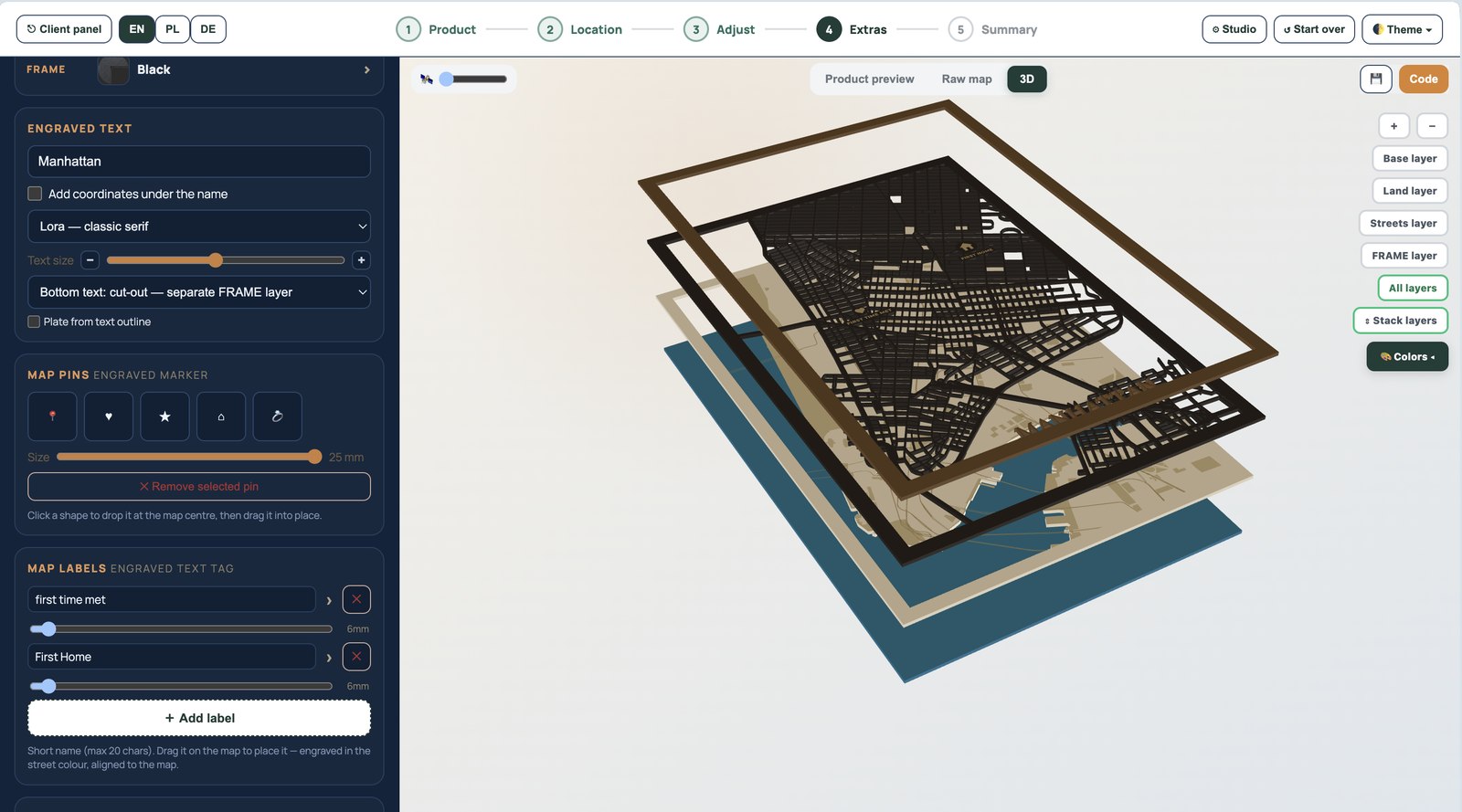
A layered wood map stacks streets, land and water into a dimensional piece. The hard part used to be preparing clean, separate cut layers by hand. Here is how to do it in about five minutes.
1. Choose your location
Search any city, neighbourhood or address. Centre the map on the area that matters — a downtown, a coastline, a home street.
2. Set the real board size
Pick your material size (for example 30×40 cm). Maperivo redraws the map at true millimetre scale, so the street widths you see are the widths the laser cuts. This is the step that decides whether fine roads survive.
3. Choose the 3D layered style
The map splits into layers: water/base, land, streets and a frame. Green areas become filled shapes that engrave cleanly; roads too thin to cut become single-line scores.
4. Add a title, pins and labels
Engrave a city name, coordinates or personal labels. Pins mark meaningful spots. Everything stays on the right layer.
5. Preview in 3D and export
Explode the layers on screen to confirm the stack, then export a layered SVG with named CUT/ENGRAVE/WATER layers.
6. Cut and assemble
Cut each layer, then stack: streets on land, land on water, all inside the frame. Glue, finish, done.
Ready to try it? Open the map generator or read how to laser cut a map, step by step.
Frequently asked questions
Everything makers and stores ask before their first laser-ready map.
What material is best for a layered wood map?
Thin plywood or basswood (2–3 mm) is common for the street layer, with thicker stock for the base and frame. Match your laser's cutting capacity.
How do I keep dense streets from breaking?
Cut at real scale and let thin roads become scores rather than cut lines. Maperivo does this automatically and lets you adjust the threshold.
Turn your next location into a laser-ready product.
Free 14-day trial: 50 maps, no card. Commercial use included.